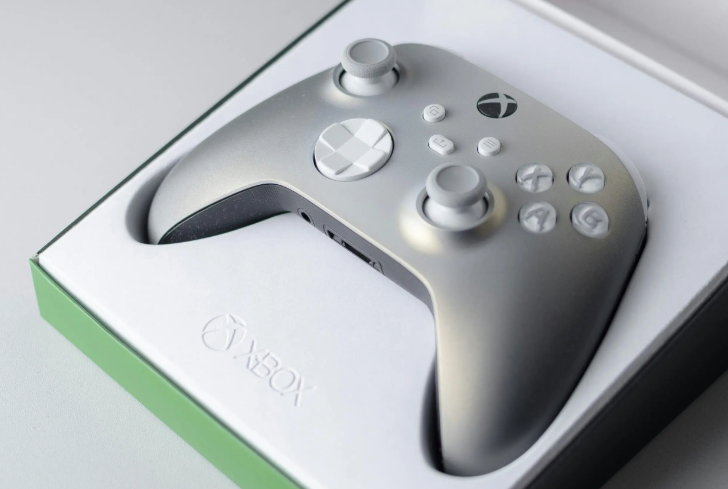
Gaming consoles have become an important source of entertainment, connecting players with immersive experiences, online communities, and competitive gameplay. However, like any electronic device, consoles can develop technical issues that affect performance, speed, and overall usability. From startup failures and overheating to controller connectivity problems, these concerns often require proper diagnosis and professional assistance. Choosing reliable Xbox system repair services can help restore functionality, prevent further damage, and ensure a smoother gaming experience.
Common Xbox Issues That Affect Gaming Performance
Gaming consoles handle complex software, graphics processing, and network connections, making them vulnerable to different hardware and software problems. Understanding common issues can help users identify when professional support may be needed.
Console Not Turning On or Sudden Power Failures
One of the most frustrating problems gamers experience is when their console does not start properly. This issue may occur due to power supply problems, internal hardware faults, damaged cables, or overheating-related shutdowns.
Before seeking repairs, users can check basic connections, try another power outlet, and inspect cables for visible damage. If the console still does not respond, professional inspection is recommended because internal components may require testing or replacement.
Overheating and Unexpected Shutdowns
Overheating is a common concern among gaming console users, especially when devices are used for extended gaming sessions. Poor ventilation, dust accumulation, or damaged cooling components can cause excessive heat buildup.
When a console overheats frequently, it may automatically shut down to protect internal parts. Continued overheating can impact important components and reduce device performance. Cleaning internal areas, checking cooling systems, and repairing damaged parts can help improve reliability.
Disc Reading and Installation Problems
Many gamers experience difficulties when the console fails to recognize discs or encounters errors while installing games. These problems may happen due to damaged discs, optical drive issues, or software-related errors.
If cleaning the disc or restarting the system does not solve the problem, the internal disc drive may require professional evaluation. Repair specialists can inspect the mechanism, identify faults, and provide suitable solutions.
Slow Performance and System Freezing
System freezing, delayed responses, and slow loading times can interrupt gameplay and create an inconvenient experience. These issues may result from storage problems, outdated system files, corrupted data, or hardware limitations.
Regular system updates, managing storage space, and clearing unnecessary data can improve performance. However, repeated freezing may indicate deeper hardware concerns that need technical assessment.
Controller Connectivity and Input Issues
Controllers are essential for smooth gameplay, but connectivity issues can affect the overall experience. Common problems include delayed responses, frequent disconnections, charging failures, or buttons not working correctly.
Users can try reconnecting controllers, replacing batteries, or updating controller software. If these solutions do not work, professional repair may be required to identify issues with the controller hardware or console connection system.
HDMI and Display Problems
Display-related issues can prevent users from enjoying games properly. A console may turn on while showing no image, displaying distorted visuals, or losing connection with the screen.
These problems can occur due to damaged HDMI ports, cable issues, or internal graphics-related faults. Since HDMI port repairs involve delicate components, expert technicians should handle the inspection and repair process.
Storage and Software Errors
Modern gaming consoles store large amounts of game data, updates, and applications. Storage failures can lead to slow performance, installation errors, or loss of saved information.
Software errors may also cause crashes or system instability. Troubleshooting may involve system resets, software recovery, or hardware checks depending on the severity of the issue.
When Should You Consider Professional Xbox Repair?
Some minor problems can be resolved through basic troubleshooting, but repeated failures usually indicate the need for professional support. Repair services become important when:
- The console frequently shuts down without warning
- Hardware components stop functioning properly
- The device produces unusual sounds
- Games fail to load consistently
- Performance issues continue after software troubleshooting
- Important internal components require replacement
Professional technicians use specialized tools to identify the actual cause of the problem instead of applying temporary fixes.
How Professional Repair Services Help Restore Console Performance
A reliable repair provider focuses on accurate diagnosis, quality replacement parts, and proper repair techniques. Experienced technicians can inspect internal components, identify damaged areas, and recommend suitable solutions based on the device condition.
Working with an experienced Xbox Repair Company Dubai helps users access technical expertise for different console problems. Professional repair services can handle issues related to power systems, cooling components, display connections, storage, and other hardware concerns while maintaining device safety.
Benefits of Timely Console Repairs
Delaying repairs can sometimes make existing problems worse and increase the possibility of additional component damage. Addressing issues early provides several benefits, including:
Better Gaming Experience
A properly functioning console delivers smoother gameplay, faster responses, and improved reliability during gaming sessions.
Extended Device Lifespan
Regular maintenance and timely repairs can help protect internal components and extend the usable life of the console.
Cost-Effective Solutions
Repairing specific damaged components is often more practical than replacing the entire device. Professional diagnosis helps identify the most suitable solution.
See also: 8 Kitchen Habits That Can Extend the Life of Your LPG Gas Chulha
Tips to Maintain Your Gaming Console
Proper care can reduce the chances of major technical problems. Users should:
- Keep the console in a well-ventilated area
- Clean dust from external surfaces regularly
- Avoid blocking cooling vents
- Use reliable power sources
- Keep software updated
- Handle discs and accessories carefully
- Avoid excessive usage without cooling breaks
These simple practices can improve performance and prevent unnecessary repair requirements.
Conclusion
Gaming consoles need proper maintenance and timely repairs to ensure reliable performance. Problems like overheating, display issues, power failures, and storage errors can impact the gaming experience. Professional Xbox system repair services help identify and resolve these issues through accurate diagnosis, expert troubleshooting, and effective technical solutions, allowing users to enjoy smoother gameplay and improved console functionality.
With years of experience in reliable device maintenance and technical support, 800Fixing offers professional repair solutions, including gaming console repairs, diagnostics, hardware troubleshooting, and technical assistance. With skilled technicians, quality repair practices, and customer-focused services, 800Fixing helps users restore device performance efficiently. The company provides convenient solutions for various electronic issues, ensuring improved reliability, smooth operation, and longer device lifespan.